Tuesday, August 29, 2017

Mark Zuckerberg amtaka bintiye awe akitoka nje kucheza

Picha ya familia ya Bwana na Bi Zuckerberg

Mwanzilishi wa mtandao wa kijamii wa Facebook, tajiri Mark Zuckerberg, amemsihi bintiye mdogo kuwa akitoka nje kucheza nje na kufurahia maajabu ya kuwa mtoto, katika barua yenye hisia iliyochapishwa katika ukurasa wake katika mtandao wake wa Facebook.

Barua hiyo ilichapishwa siku ya Jumatatu alipotangaza kuzaliwa kwa mwanawe wa pili aitwaye August, na mkewe Priscilla Chan.

Katika barua ya kina waliyoiandika, wazazi hao wawili walizungumzia kuhusu maajabu ya kuwa mtoto na umuhimu wa kucheza.
Wawili hao waliweka mtandaoni barua kama hiyo kwa binti yao Max mnamo mwaka 2015.
Katika ujumbe hao ambao ameuambatanisha na picha ya familia, Bw Zuckerberg, pia amemhimiza mgeni huyo mchanga "asiwe mkubwa kwa haraka".
"Dunia inaweza kuwa eneo la ushindani mkali. Hiyo ndiyo maana ni muhimu kutafuta nafasi na kwenda nje ili kucheza," ilisema barua hiyo, iliyotiwa saini "Mom and Dad", yaani ''Baba na Mama ''

Wito wa mtoto kwenda kujitambua nje ya nyumba unaonekana kwenda kinyume na lengo kuu la mtandao wa bilionea huyo anayemiliki kampuni kubwa ya mtandao wa kijamii duniani ambaye mara kwa mara hutoa wito wa watu kutumia zaidi mitandao ya kijamii kufahamiana na kujumuika pamoja.

"Matumaini yangu ni kwamba ukimbie mara nyingi sana na kuzunguka sebuleni na pia huko nje kadiri utakavyotaka. Na kisha, natumai kwamba utalala sana," wazazi hao wawili waliandika.
"Utotoni ni hatua nzuri sana. Huwa wawa mtoto mara moja tu, kwa hivyo usitumie muda mwingi sana kufikiria sana kuhusu mustakabali wako."

Trunk Cable Planning & Installation Guide

A trunk can also consist of a cluster of broadcast frequencies, as in a trunked radio system that enables the sharing of a few radio frequency channels among a large group of users.

In telephony, trunks interconnect switching nodes, such as private branch exchanges (PBX) and central offices. In enterprise telephony, the transition from traditional time-division multiplexing (TDM) trunks to SIP trunks began around 2009 to use Voice over IP (VoIP) to connect a PBX to the internet.

Data networks use two types of trunks. First, trunks can carry data from multiple local area networks (LANs) or virtual LANs (VLANs) across a single interconnect between switches or routers, called a trunk port. Second, trunks can bond or aggregate multiple physical links to create a single, higher-capacity, more reliable logical link, which is called port trunking.

A trunk port marks frames with special identifying tags -- defined by IEEE standard 802.1Q for VLAN tags for Ethernet frames -- as they pass between switches, so each frame can be routed to its intended VLAN at the other end of the trunked link. Using port trunking to aggregate links is defined by IEEE standard 802.1aq and by the 802.1AX standard for LANs and metropolitan area networks, as well by various vendor-proprietary methods

Mtu anayefunza kompyuta kutambua harufu

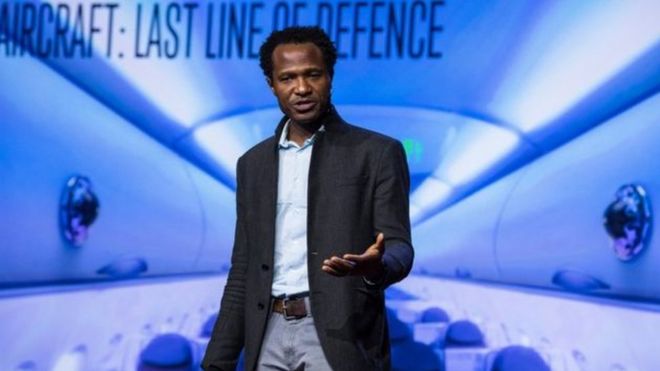
 Raia wa Nigeria Oshi Agabi amezindua kompyuta zinazotumia neva za panya katika kongamano la kiteknolojia la TEDGlobal linaloendelea nchini Tanzania.
Raia wa Nigeria Oshi Agabi amezindua kompyuta zinazotumia neva za panya katika kongamano la kiteknolojia la TEDGlobal linaloendelea nchini Tanzania.
Mfumo huo umefunzwa kutambua harufu ya vilipuzi na unaweza kutumiwa katika kuimarisha usalama katika viwanja vya ndege, alisema.
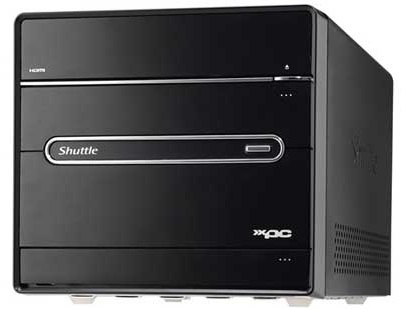
Vilevile kifaa hicho kilicho na ukubwa wa modem na kupewa jina Koniku Kore kinaweza kuwa ubongo wa roboti za siku za usoni.
Kampuni kubwa za kiteknolojia, ikiwemo Google hadi Micrososft ziko katika harakati ya kutengeza roboti inayoweza kuwa na akili ya mwanadamu.
Huku kompyuta zikiwa bora kushinda mwanadamu katika kutatua hesabu ngumu, kuna majukumu mengi ambayo yanaweza kufanywa na ubongo wa mwanadamu ikiwemo kuifunza kompyuta kutambua harufu.
Bwana Agabi analenga kubadili baiolojia ya uhandisi ambayo tayari imetimiza uvumbuzi huo.''Biolojia ni Teknolojia''.
Kazi yetu kuu ni kujaribu kuiga ubongo.
Alizindua kifaa hicho cha koniku yapata mwaka mmoja uliopita na amefanikiwa kuchangisha dola milioni moja kama ufadhili na anasema kuwa kifaa hicho kimempatia dola milioni 10 katika mikataba na kampuni za usalama.
Koniku Kore ni kifaa kilichotengezwa kwa kutumia neva na silicon ambacho kina sensa zinazoweza kutambua harufu.
''Unaweza kuzipa neva hizo maelezo ya ni nini unachotaka zifanye ambapo upande wetu tunaziambia kutoa seli zinazoweza kutambua harufu'',alisema

Monday, July 24, 2017

The A-Z of Technology Terms

Image result for The A-Z of Technology Terms


Adobe Acrobat Reader
Acrobat Reader is software that allows you to view a PDF document (a document that can be seen but not changed). It can be downloaded free of charge from Adobe.
ADSL
Asymmetric digital subscriber line (ADSL) is a type of digital subscriber line (DSL) broadband technology that is used to connect to the Internet. It uses standard telephone lines to deliver high-speed data communications (up to 24 megabytes per second).
Analogue
Analogue is a conventional method of transmitting data. Standard landline telephones use analogue technology. It is distinct from digital technology, which provides for greater quality and speed of data transmission.
Assistive technology
Assistive technology refers to any software or hardware that acts to assist and improve the functional capabilities of people with disabilities. Examples include wheelchairs, prosthetics, voice-to-text technology and text-to-speech technology.
Attachment
An attachment is a document sent with an email message. Many types of files can be sent this way (e.g. Word documents, PDFs, Excel files, JPEGs). Be wary of attaching large files because these can take a lot of time for the recipient to download. If you have a large file, it is considered good practice to compress the file using software such as Winzip before attaching it.
Back-end
Back-end refers to the part of an application that performs an essential task not apparent to the user.
Backward compatible
If software is backward compatible, it is compatible with earlier (superseded) versions of the same software. For example, the Microsoft word-processing program Word 2010 can read files created in the 2003 version of the same program, so it is backward compatible.
Bandwidth
Bandwidth refers to the maximum amount of data that can travel a communications path in a given time, usually measured in seconds.
Bit
A bit (short for binary digit) is the smallest unit of measurement in computing. 8 bits make up 1 byte.
Bluetooth
Bluetooth is a wireless communications technology intended to replace cables. It allows short-range connections between two or more Bluetooth-compatible devices such as mobile phones, tablets, headsets or medical equipment.
Bookmark
A bookmark is a saved link to a particular Web page. Microsoft Internet Explorer denotes bookmarks as "favourites."
Boolean operators
Most search engines (e.g. Google) allow you to limit your search or make it more specific by using words such as "and", "or" and "not". These words are known as boolean operators because of their origin as terms in logic.
Boot (re-boot)
To boot (or re-boot) is to load and initialise the operating system on a computer. Think of it as starting up your computer. In Windows you can use the key combination CTRL and ALT and DEL as a "soft" boot. This means restarting the computer rather than turning it completely off and on again, which could cause damage to your computer's hard disk under some circumstances.
Bounce back
An email message that cannot be delivered and returns an error notification to the sender is said to "bounce back". If you receive such an error notification, check that you have typed the address correctly.
Broadband
Broadband is a type of communications technology whereby a single wire can carry more than one type of signal at once; for example, audio and video. Cable TV is one technology that uses broadband data transmission.
Browser
A software program that allows you to surf the web. Popular web browsers include Google Chrome, Mozilla Firefox, Microsoft Edge and Internet Explorer.
Cache
When you download (read) a web page, the data is "cached," meaning it is temporarily stored on your computer. The next time you want that page, instead of requesting the file from the web server, your web browser just accesses it from the cache, so the page loads quickly. The downside to this is that if the cached web page is often updated, you may miss the latest version. If you suspect that the web page you're seeing is not the latest version, use the "refresh" button on your browser.
Our Community Matters
CAD
Computer-aided design (CAD) is a type of software that allows users to create 2D and 3D design and modelling. CAD is used by architects, engineers, artists and other professionals to create precise technical drawings.
Chip
A chip is a microprocessor that performs many functions and calculations that make your computer run. Your computer's chip is also referred to as the CPU (Central Processing Unit) or the processor.
Cloud computing
Cloud computing refers to the storing and accessing of data and programs over the Internet instead of on another type of hard drive. Examples of Cloud services include iCloud, Google Cloud and Dropbox.
Compression
Compression is the reduction of the size of a file. Compressed files take up less memory and can be downloaded or sent over the Internet more quickly.
Content
Content refers to a website's text and information, as opposed to its design and structure.
Cookie
A piece of code or data created by a web server and stored on a user's computer. It is used to keep track of the user's usage patterns and preferences.
CPU
The central processing unit (CPU) is the brains behind your computer. The CPU is responsible for performing calculations and tasks that make programs work. The higher the speed of a CPU, the faster the CPU undertakes the calculations and tasks.
Cybercrime
Cybercrime is any type of illegal activity that is undertaken (or relies heavily) on a computer. There are thousands of types of cybercrime, including network intrusions, identity theft and the spreading of computer viruses.
Cybersecurity
Cybersecurity refers to measures designed to protect your computer, device or network from cybercrime. This involves preventing unintended and unauthorised access, change and damage.
Device driver
A device driver is a small program that allows a peripheral device such as a printer or scanner to connect to your PC.
Domain
A domain is a set of computers on a network that are managed as a unit.
Download
Downloading is the method by which users access and save or "pull down" software or other files to their own computers from a remote computer via the Internet.
DV
DV stands for digital video.
Email
Email or electronic mail is a way of sending messages over the internet. Popular email programs include Outlook, Mozilla Thunderbird, Gmail and Yahoo Mail.
Encryption
Encryption is the process of converting electronic data to an unrecognisable or encrypted form, one that cannot be easily understood by unauthorised parties.
Ethernet
Ethernet is the most common way of connecting computers on a network with a wired connection. It is a type of local area network (LAN) technology, providing a simple interface for connecting multiple devices.
Firewall
A firewall is a barrier that acts as a security system to protect trusted computer systems and networks from outside connections and untrusted networks, such as the Internet.
FTP
File transfer protocol (FTP) is a common method of transferring files via the internet from one host to another host.
Gateway
A point within a network that interconnects with other networks.
GIF
Graphics interchange format (GIF) is a graphics file format. Because GIF files are compressed, they can be quickly and easily transmitted over a network. GIF is one of the main graphics formats on the Internet.
Hard disk
The physical place where a computer stores information - applications and files - is known as its hard disk drive (HDD). The bigger the HDD, the more data it can store.
Home page
The page that an Internet browser first opens up to. It is usually the starting point of an organisation's or individual's website.
HTML
Hyper-text markup language (HTML) is a set of symbols inserted into files intended for display on the world wide web. The symbols tell web browsers how to display words and images - e.g. which colour, font and type size to use - and they direct it to link to other pages on the world wide web via hyperlinks.
Internet
A set of interconnected networks that allow computers in different locations to exchange information. The Internet includes services such as the world wide web, electronic mail, file transfer protocol (FTP), chat and remote access to networks and computers.
ISP
An internet service provider (ISP) is a company that provides access to the Internet. In Australia, widely used ISPs include Bigpond, iinet and Dodo.
Intranet
An intranet is basically a private, internal internet specific to an organisation or group.
Java
Java is a programming language that is commonly used in the development of client-server web applications.
JPEG
JPEG stands for Joint Photographic Experts Group, which was the committee that created the file format known as JPEG. The format is commonlyl used for photos displayed on the world wide web.
LAN
A local area network (LAN) is a system that connects computers and other devices that share a common communications line and wireless link, generally within a limited geographical area such as a home or office building.
Malware
"Malware" is short for malicious software. It refers to a software program that has been developed to do harm to other computers. Types of malware include viruses, worms and spyware.
Megabyte
A measure of computer processor storage and real and virtual memory. A megabyte (Mb) is 2 to the 20th power bytes, or 1,048,576 bytes in decimal notation.
Megahertz
Megahertz is the unit used to measure the speed of a computer's processor (e.g. 2.8Ghz)
Modem
A modem is a device that allows computers to transmit information to each other via ordinary telephone lines.
Online
If a computer (or computer user) is online, it is currently connected to a network or to the Internet. Online also refers to resources and services available on the Internet - e.g. online banking, online dictionary.
Operating system
An operating system (OS) is the software that manages all of a computer's processes and allows programs and applications to run. The most prominent operating system is Microsoft Windows. Others include Mac OS X and Linux.
PDF
Portable document format (PDF) is a file type created by Adobe Systems Inc. PDFs can be read using free software called Adobe Acrobat Reader or another PDF reader.
Phishing
Phishing is a type of email fraud in which the perpetrator sends out emails that appear to come from a legitimate service or reputable company, such as a bank or an email service provider. These emails aim to lure recipients to reveal confidential information that the perpetrator can use for their financial advantage - for example, online banking log-in details and passwords.
Plug-in
A software plug-in is a component that adds to a software program's functionality.
POP
A Post office protocol (POP) is an Internet protocol used by your Internet service provider (ISP) to handle email. A POP account is an email account.
PPM
Pages per minute (PPM) generally refers to the speed of a printer.
Processor
The processor is the brains of your computer. It is responsible for performing calculations and tasks that make programs work. The faster the processor, the faster the computer works.
Protocol
A protocol is a standard or set of rules that computers and other devices use when communicating with one another.
RAM
Random access memory (RAM) is usually referred to as a computer's "memory" - it stores information used by programs. Generally, the larger your computer's RAM, the more programs it can run at once without slowing down.
Read-only
A read-only file cannot be edited, modified or deleted.
Resolution
Resolution refers to the number of distinct pixels that make up the display on a computer monitor. It is denoted in DPI (dots per inch). The higher the resolution, the finer and smoother the images appear when displayed at a given size.
ROM
ROM stands for read-only memory. It is the part of a computer's memory that cannot be changed by a user. The contents of ROM remain even when the computer is turned off.
SAAS
SAAS stands for software as a service. It is a software distribution model whereby software applications are centrally hosted and licensed on a subscription basis.
Search engine
A search engine enables a computer user to search information on the Internet. It is a type of software that creates indexes of databases or Internet sites based on the titles of files, keywords, or the full text of files. The most popular search engines are Google.com.au, Yahoo.com.au and Bing.com.au.
SSL
SSL, or secure sockets layer, is a protocol that allows Internet users to send encrypted messages across the Internet. It is generally used when transmitting confidential information (e.g. personal data or credit card details). A web address that begins with "https" indicates that an SSL connection is in use.
SEO
SEO, or search engine optimisation, is the practice of making adjustments to certain aspects of a website in an effort to improve its ranking on search engines.
Server
A server is a computer that handles requests for data, email, file transfers, and other network services from other computers.
Spam
Spam refers to unsolicited email messages sent for marketing purposes.
Unzip
To unzip a zip file is to extract and decompress compressed files from it. If you are sent a zip file via email, you will need to unzip it before you can access the files inside it.
URL
A URL (unique resource locator) or web address is the string of characters you type into a browser to access a particular website or other resource on the Internet. (eg. http://www.ourcommunity.com.au )
Viral
If an online video, photo or article "goes viral", it experiences a sudden spike in popularity in a short period of time.
Virus
A virus is a piece of programming code inserted into other programming to cause damage. Viruses can be sent in many forms but are often transmitted via email messages that, when opened, may erase data or cause damage to your hard disk. Some viruses are able to enter your email system and send themselves to other people in your list of contacts.
WEP
Wired equivalent privacy (WEP) is a security protocol used in wi-fi networks. It is designed to provide a wireless local area network (LAN) with a level of security similar to that of a regular wired LAN. WEP-secured networks are usually protected by passwords. (See also WAP.)
Wi-Fi
Wi-Fi is a technology that allows computers and other devices to communicate via a wireless signal. Essentially, it means you can browse the internet without tripping over phone cords.
WPA
Wi-Fi protected access (WPA) is a security protocol used in wi-fi networks. It is an improvement on WEP because it offers greater protection through more sophisticated data encryption.
Zip

Friday, June 2, 2017

Top 10 Best Free Hacking Tools Of 2016/2017 For Windows and Linux

There are lots of hacking tools are available on the internet. But many of those hacking tools are the virus and some are fake. So, how will you find top best free hacking tools for your PC?

Here we make a list of top 10 best free hacking tools for windows and Linux PC. You can use these tools in your PC for pen testing and ethical hacking purpose.
Top 10 Best Free Hacking Tools Of 2016 For Windows and Linux

Top 10 Best Free Hacking Tools Of 2016 For Windows and Linux

1. Nmap

Nmap (“Network Mapper”) is a free open source utility for network exploration or security auditing. It was designed to rapidly scan large networks, although it works fine against single hosts. Nmap uses raw IP packets in novel ways to determine what hosts are available on the network, what services (application name and version) those hosts are offering, what operating systems (and OS versions) they are running, what type of packet filters/firewalls are in use, and dozens of other characteristics. Nmap runs on most types of computers and both console and graphical versions are available. Nmap is free,open source and free hacking tool.
Nmap Port Scanner

2. Nessus Remote Security Scanner

Recently went closed source, but is still essentially free. Works with a client-server framework.
Nessus is the world’s most popular vulnerability scanner used in over 75,000 organizations worldwide. Many of the world’s largest organizations are realizing significant cost savings by using Nessus to audit business-critical enterprise devices and applications.
Nessus Remote Security Scanner 
 
3. John the Ripper
John the Ripper is a fast password cracker, currently available for many flavors of Unix (11 are officially supported, not counting different architectures), DOS, Win32, BeOS, and OpenVMS. Its primary purpose is to detect weak Unix passwords. Besides several crypt(3) password hash types most commonly found on various Unix flavors, supported out of the box are Kerberos AFS and Windows NT/2000/XP/2003 LM hashes, plus several more with contributed patches.
 John the Ripper

4. Nikto

Nikto is an Open Source (GPL) web server scanner which performs comprehensive tests against web servers for multiple items, including over 3200 potentially dangerous files/CGIs, versions on over 625 servers, and version specific problems on over 230 servers. Scan items and plugins are frequently updated and can be automatically updated (if desired).
Nikto is a good CGI scanner, there are some other tools that go well with Nikto (focus on HTTP fingerprinting or Google hacking/info gathering etc, another article for just those).
Nikto Tool 
 

5. Acunetix – Web Vulnerability Scanner

It is a powerful online tool to scan your website and get you site hackable report. Most of the sites on internet are vulnerable so guys we need to secure our sites. Acunetix Vulnerability Scanner automatically crawls and scans off-the-shelf and custom-built websites and web applications for SQL Injection, XSS, XXE, SSRF, Host Header Attacks & over 3000 other web vulnerabilities.
Acunetix – Web Vulnerability Scanner

6. p0f

P0f v2 is a versatile passive OS fingerprinting tool. P0f can identify the operating system on:
– machines that connect to your box (SYN mode),
– machines you connect to (SYN+ACK mode),
– machine you cannot connect to (RST+ mode),
– machines whose communications you can observe.
Basically, it can fingerprint anything, just by listening, it doesn’t make ANY active connections to the target machine.
p0f Fingerprinting OS Tool 
 

7. Wireshark

Wireshark is one of best hacking tools 2016 a GTK+-based network protocol analyzer wifi hacking tool, or sniffer, that lets you capture and interactively browse the contents of network frames. The goal of the project is to create a commercial-quality analyzer for Unix and to give Wireshark features that are missing from closed-source sniffers. Works great on both Linux and Windows (with a GUI), easy to use and can reconstruct TCP/IP Streams! and is the best wifi hacking tool.
Wireshark

8. Metasploit:

A tool for exploiting (Utilizing network weakness for making a “backdoor”) vulnerabilities (Weak Points) on Network. This tool is neither free nor open source. But when it comes to features offered it deserves the price it claims. The Metasploit Project is a hugely popular pen testing (penetration testing) or hacking tool that is used by cybersecurity professionals and ethical hackers. Metasploit is essentially a computer security project that supplies information about known security vulnerabilities and helps to formulate penetration testing and IDS testing.
Metasploit - Penetration Testing Tool

9. Eraser

Eraser is an advanced security tool (for Windows), which allows you to completely remove sensitive data from your hard drive by overwriting it several times with carefully selected patterns. Works with Windows 95, 98, ME, NT, 2000, XP and DOS. Eraser is Free software and its source code is released under GNU General Public License.An excellent tool for keeping your data really safe, if you’ve deleted it..make sure it’s really gone, you don’t want it hanging around to bite you in the ass.
Create Task in Eraser for Deleting File

10.  Social Engineer Toolkit – Human are so dumb:

The Social Engineer Toolkit incorporates many useful social-engineering attacks all in one interface. The main purpose of SET is to automate and improve on many of the social-engineering attacks out there. It can automatically generate exploit-hiding web pages or email messages, and can use Metasploit payloads to, for example, connect back with a shell once the page is opened.
Social Engineer Toolkit
To download SET on Linux, type the following command.
git clone https://github.com/trustedsec/social-engineer-toolkit/ set/
Apart from Linux, Social-Engineer Toolkit is partially supported on Mac OS X and Windows.
So, these are the top best free hacking tools 2016 for computer/PC. These tools are must for every hacker. If you are a newbie then you can search for their tutorial on the internet

5 Most Dangerous Computer Viruses of all time

They’re created by malicious programmers who might want to use your computer to attack other targets, or make money by stealing your personal information. They could also just be trying to see how far their virus will spread.
Different viruses can affect Windows, Mac and Linux computers, and even the data servers that keep companies, and the internet itself, running.
Antivirus programs help, but they can have trouble dealing with threats they’ve never seen before.Over the years, there have been thousands and thousands of viruses spread online, and they’ve caused billions of dollars of damage from lost productivity, wasted resources, and broken machines.
A few dozen of those viruses stand out, some spread especially quickly, or affected a lot of people, or created a ton of damage all by themselves. Some did all of the above.
Since a lot of viruses were very bad, in a lot of different ways, it’s hard to pick out which ones were objectively the worst.
Here are five most dangerous computer viruses of all time:

1. ILOVEYOU

Perhaps the most virulent computer virus ever created, the ILOVEYOU virus managed to wreck PCs all across the world. Infecting almost 10% of the world’s PCs connected to the Internet, the virus caused a total damage of around $10 billion.
The virus apparently got transmitted via email with a subject line “ILOVEYOU,” which is a radical human emotion that no one can ignore. To make it even more alluring, the email contained an attachment that read something like this: Love-Letter-For-You.TXT.vbs. The moment someone opened the file, the virus emailed itself to the first 50 contacts available in the PC’s Windows address book.

2. Melissa

Melissa became the breaking news on March 26, 1999, after hitting the new age of emailing. Built by David L, Melissa was spread in the form of an email attachment by the name “list.doc.”

When a person clicked upon the attachment, the virus would find the Microsoft Outlook address book and email itself to the first 50 contacts on the list having a message “Here is that document you asked for…donot show anyone else.” Later on, FBI arrested David L and slapped him with a fine of $5000 for creating the wildest virus of its time.

3. My Doom

My Doom hit the malware world in 2004 and spread exponentially through email with random addresses of senders and subject lines. Infecting somewhere around two million PCs, My Doom smashed the cyber world by instigating a tremendous denial of service attack. It transmitted itself via email in a specially deceitful way that a receiver would first consider a bounced error message that read “Mail Transaction Failed.”
However, as soon as the receiver clicked upon the message, the attachment executed and the worm transmitted to email addresses found in the user’s address book. It is easy to believe that this mass mailer worm caused a damage of almost $38 billion.

4. Code Red

Taking advantage of the Microsoft Internet Information Server’s flaw, Code Red spread on the network servers in 2001. Here is an amusing fact about this dangerous virus—it didn’t need you to open an email attachment or execute a file; it just required an active Internet connection with which it ruined the Web page that you opened by displaying a text “Hacked by Chinese!” It’s no surprise that this virus devastated nearly $2.6 billion dollars by hitting almost one million PCs.
And in less than a week’s time, the virus brought down over 400,000 servers that included the White House Web server as well.

5. Sasser

Sasser was a Windows worm that was discovered in 2004. Apparently, it would slow down and crash the PC, making it even hard to reset without cutting the power. And its effects were surprisingly troublesome as well, with millions of PCs being infected and crucial, significant infrastructure affected.
The worm played on a buffer overflow susceptibility in Local Security Authority Subsystem Service (LSASS) that monitors the safety policy of local accounts causing crashes to the PC. The devastating effects of the virus were massive resulting in over a million infections. This included critical infrastructures, such as new agencies, hospitals, airlines, and public transportation.
Computers are amazing, but they just do what they’re told, and when viruses tell them to do bad things, it can create a lot of damage.

Friday, March 31, 2017

READ..SOME SCIENTIFIC WORDS IN SWAHILI LANGUAGE

READ..SOME SCIENTIFIC WORDS IN SWAHILI LANGUAGE
1. password- Nywila.
2. juice - sharubati.
3. chips - vibanzi.
4. PhD - uzamifu.
5. Masters - uzamili.
6. Degree - shahada.
7. Diploma - stashahada.
8. Certificate - Astashahada.
9. keyboard - kicharazio.
10. scanner - mdaki.
11. Flash disk - diski mweko.
12. Mouse - kiteuzi.
13. Floppy disk - diski tepetevu.
14. Computer virus - mtaliga.
15. Distillation- ukenekaji.
16. Evaporation - mvukizo.
17. Synthesis- uoanishaji.
18. Oesphagus- umio.
19. Green house - kivungulio.
20. Femur - fupaja.
21. Germ cell - selizazi.
22. Humus - mboji.
23. Nector - mbochi.
24. Nector - Ntwe.
25. Nutrients - virutubisho.
26. Appetizers - vihamuzi.
27. ATM - Kiotomotela.
28. Bussiness card - kadikazi.
29. scratch card - kadihela.
30. simcard - kadiwia/mkamimo.
31. memory card - kadi sakima.
32. micro wave - Tanuri ya miale.
33. Laptop - kipakatarishi.
34. power saw - msumeno oto.
35. Duplicating machine - kirudufu.
36. photocopier- kinukuzi.
37. cocktail party - Tafrija mchapulo.
38.Air conditioner- Kiyoyozi.
39. lift- kambarau

Thursday, February 23, 2017

Types of computers

Computers can be broadly classified by their speed and computing power.
Sr.No. Type Specifications
1 PC (Personal Computer) It is a single user computer system having moderately powerful microprocessor
2 WorkStation It is also a single user computer system which is similar to personal computer but have more powerful microprocessor.
3 Mini Computer It is a multi-user computer system which is capable of supporting hundreds of users simultaneously.
4 Main Frame It is a multi-user computer system which is capable of supporting hundreds of users simultaneously. Software technology is different from minicomputer.
5 Supercomputer It is an extremely fast computer which can execute hundreds of millions of instructions per second.

PC (Personal Computer)

A PC can be defined as a small, relatively inexpensive computer designed for an individual user. PCs are based on the microprocessor technology that enables manufacturers to put an entire CPU on one chip. Businesses use personal computers for word processing, accounting, desktop publishing, and for running spreadsheet and database management applications. At home, the most popular use for personal computers is playing games and surfing Internet.

Although personal computers are designed as single-user systems, these systems are normally linked together to form a network. In terms of power, now-a-days High-end models of the Macintosh and PC offer the same computing power and graphics capability as low-end workstations by Sun Microsystems, Hewlett-Packard, and Dell.
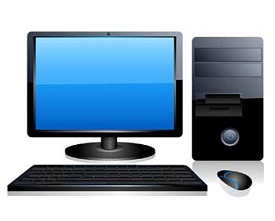
Personal Computer

Workstation

Workstation is a computer used for engineering applications (CAD/CAM), desktop publishing, software development, and other such types of applications which require a moderate amount of computing power and relatively high quality graphics capabilities.

Workstations generally come with a large, high-resolution graphics screen, large amount of RAM, inbuilt network support, and a graphical user interface. Most workstations also have a mass storage device such as a disk drive, but a special type of workstation, called a diskless workstation, comes without a disk drive.
Common operating systems for workstations are UNIX and Windows NT. Like PC, Workstations are also single-user computers like PC but are typically linked together to form a local-area network, although they can also be used as stand-alone systems.
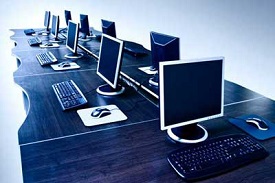
Work Stations

Minicomputer

It is a midsize multi-processing system capable of supporting up to 250 users simultaneously.
Mini Computer

Mainframe

Mainframe is very large in size and is an expensive computer capable of supporting hundreds or even thousands of users simultaneously. Mainframe executes many programs concurrently and supports many simultaneous execution of programs
Main Frame

Supercomputer

Supercomputers are one of the fastest computers currently available. Supercomputers are very expensive and are employed for specialized applications that require immense amount of mathematical calculations (number crunching). For example, weather forecasting, scientific simulations, (animated) graphics, fluid dynamic calculations, nuclear energy research, electronic design, and analysis of geological data (e.g. in petrochemical prospecting).
Super Computer